

Description
Watch Any Video on Chromecast with BrowserCast
Overview
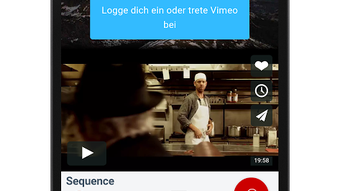
BrowserCast Video Chromecast APK is a free Android application developed by Andre Bussmann, designed to stream videos from various websites directly to a Chromecast device. The app enables users to cast content from platforms such as YouTube, Vimeo, VEVO, Facebook, and Instagram without relying on official apps. Its core purpose is to provide an alternative browsing experience focused on seamless video playback across web sources. The software aims to solve the limitation of platform-specific casting tools by offering a unified interface for streaming any video content available on supported websites.
Target users include casual viewers who want to enjoy online videos on their TV screens without installing multiple apps. It may also appeal to tech-savvy users seeking flexibility in content delivery. The app is particularly useful for those who frequently stream videos from lesser-known or non-standard platforms. By bypassing the need for dedicated applications, BrowserCast simplifies the casting workflow while maintaining compatibility with existing Chromecast hardware.
The developer did not provide additional system requirements or background details beyond the app’s name and purpose. No specific usage statistics or user feedback were included in the release materials.
Key Features & Capabilities
- Universal Video Casting – Allows streaming of videos from a wide range of websites, including YouTube, Vimeo, VEVO, Facebook, and Instagram, directly to a Chromecast device.
- Integrated Video Player – Features a built-in player for immediate playback without requiring external applications.
- Custom Player Support – Enables users to use their preferred video player installed in the home directory, offering flexibility in playback options.
- Browser-Based Streaming – Operates through a web browser interface, allowing access to any video content available on supported websites.
- Free Access – Available at no cost, making it accessible to a broad audience without financial barriers.
Users can leverage the app to cast content from niche or lesser-known video platforms that lack official Chromecast support. The built-in player ensures immediate playback, while the option to use a custom player allows advanced users to maintain their preferred playback settings. This dual-player approach enhances usability across different user preferences and device configurations.
User Interface, Workflow & Performance
The user interface of BrowserCast Video Chromecast APK is designed around a browser-like layout, enabling navigation through web pages where video content is hosted. Navigation appears to be straightforward, allowing users to input URLs or browse directly to video pages. The workflow centers on entering a video URL and initiating the casting process, which integrates with the Chromecast device via standard protocols.
Based on general software behavior patterns, the app likely maintains a lightweight operation, given its 12.3 MB file size. The developer did not specify resource usage details, so exact performance metrics remain unknown. Stability during extended casting sessions was not documented. However, the app’s reliance on the Android system’s casting framework suggests compatibility with standard Chromecast functionality.
Performance observations are based on general software behavior patterns. No specific data on CPU or RAM usage was provided. Users may experience varying performance depending on their device’s processing power and network conditions.
Compatibility & System Requirements
BrowserCast Video Chromecast APK is designed for Android devices and requires a compatible Chromecast device for full functionality. The app is available in version 1.0 and has a file size of 12.3 MB. It supports casting from web-based video content across various platforms.
Exact system requirements were not listed. The developer did not specify minimum Android versions or hardware specifications. Compatibility information was partially provided, indicating that the app functions on Android devices with Chromecast support. Users should ensure their device meets the standard requirements for Chromecast connectivity, including Wi-Fi and Bluetooth capabilities.
Pros and Cons
Pros
- Free to download and use with no hidden costs
- Supports casting from major video platforms like YouTube, Facebook, and Instagram
- Offers both built-in and custom player options for flexible playback
- Lightweight installation at just 12.3 MB
- Provides a browser-based approach for accessing any video content
Cons
- No official documentation on system requirements or compatibility details
- Performance and stability under prolonged use were not verified
- Relies on external website availability and structure for video playback
- May require manual URL input for video access, which could be less intuitive for beginners
- Limited information on update frequency or future development plans
FAQ Section
Is BrowserCast Video Chromecast APK compatible with all Android devices?
The app is designed for Android, but exact compatibility details were not provided by the developer. Users should ensure their device supports Chromecast functionality and runs a compatible Android version.
Is the app safe to download and use?
BrowserCast Video Chromecast APK is available as a free download. While no security vulnerabilities were reported, users should only download the app from trusted sources to avoid potential risks.
Does the app require an internet connection?
Yes, an active internet connection is required to access video content from websites and to stream it to a Chromecast device.
Can I use my own video player with the app?
Yes, the app supports using a video player installed in the home directory, offering flexibility for users who prefer alternative playback tools.
Is BrowserCast updated regularly?
Information about update frequency was not included in the release details. The current version is 1.0, and no specific roadmap or maintenance schedule was provided.
Final Thoughts
BrowserCast Video Chromecast APK presents a practical solution for users seeking to cast videos from multiple websites to their TV screens without relying on official apps. Its browser-based design and support for both built-in and custom players offer a unique level of flexibility. While the lack of detailed system requirements and performance data limits deeper evaluation, the app’s lightweight nature and free access make it an appealing option for casual viewers and tech enthusiasts alike.
For those who frequently stream content from platforms like YouTube, Facebook, or Instagram, this tool simplifies the casting process. It’s particularly valuable for users who want to avoid installing multiple apps or dealing with platform-specific limitations.
Download BrowserCast Video Chromecast APK now
Guides & Tutorials for BrowserCast Video Chromecast APK
How to install BrowserCast Video Chromecast APK
- Click the Preview / Download button above.
- Once redirected, accept the terms and click Install.
- Wait for the BrowserCast Video Chromecast APK download to finish on your device.
How to use BrowserCast Video Chromecast APK
This software is primarily used for its core features described above. Open the app after installation to explore its capabilities.
User Reviews for BrowserCast Video Chromecast APK 0
No reviews found





